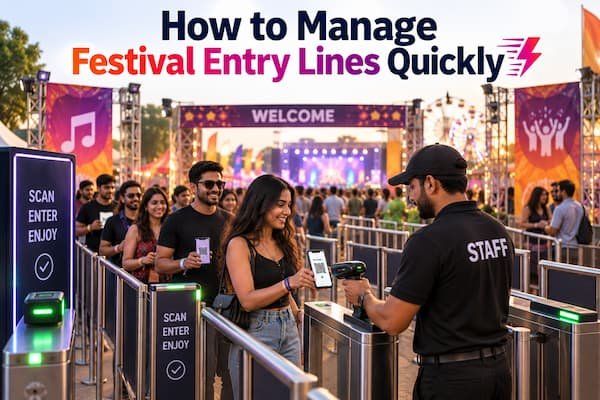

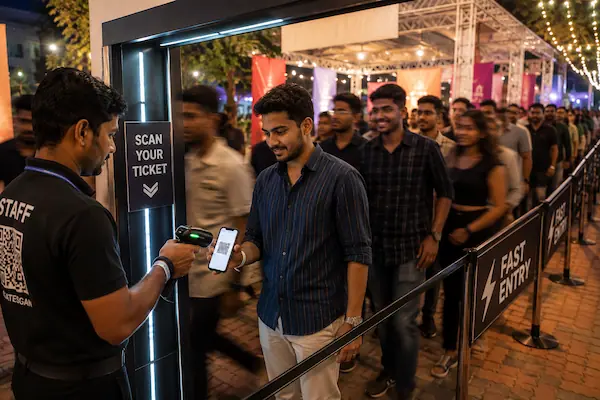
However good the lineup, however well-planned the program, an event's first impression is made at the gate. A slow, confusing entry process is one of the most common — and most fixable — problems organizers run into, whether it's a 200-person corporate offsite or a 10,000-person festival. Guests remember standing in a line more clearly than they remember most of what happened once they got inside.
The good news is that entry speed isn't a mystery to solve from scratch. Most bottlenecks trace back to a small set of causes, and most of them have a straightforward fix. This guide covers why entry speed matters more than it seems, what actually slows gates down, and a practical, step-by-step approach to fixing it — for events of any size.

Why Entry Speed Matters More Than Organizers Realize
A slow gate isn't just an inconvenience — it has knock-on effects that reach well past the queue itself:
- First impressions set the tone. Guests who spend twenty minutes stuck outside arrive already frustrated, before the event has even started.
- Delays cascade. Late entry means late seating, missed opening remarks or performances, and a program that has to catch up all evening.
- Crowding outside becomes a safety issue. A backed-up queue outside a venue is a genuine crowd-safety concern, not just an experience problem.
- It affects reputation and repeat attendance. For ticketed or recurring events, a chaotic entry experience is one of the most common things guests complain about publicly — and one of the clearest reasons they don't come back.
What Actually Slows Down Entry at Events
Before fixing entry speed, it helps to know exactly where the time goes. The usual culprits:
- Manual ID or ticket checking — cross-referencing a name against a printed list or checking a physical ticket by eye takes far longer than it seems, especially under pressure.
- Not enough entry points — a single gate handling the full volume of guests will bottleneck no matter how efficient the process is.
- Unclear signage — guests queuing in the wrong line and having to be redirected slows down everyone behind them.
- Untrained staff — a team encountering their first ticket exception, lost QR code, or name mismatch mid-event will stall the whole lane while they figure out what to do.
- Paper-based systems — printed tickets and guest lists are easy to misplace, hard to search quickly, and prone to being duplicated or passed back through a queue.
- Registration or payment happening at the gate — anything that requires a guest to fill out details or complete a transaction on-site turns a scan into a multi-minute process.
Step-by-Step: How to Improve Entry Speed at Any Event
Step 1: Move Registration and Ticketing Online Before the Event
The single biggest speed gain comes from getting registration, payment, and ticket issuance done before anyone arrives at the gate. If guests are still filling out forms or paying at the door, entry speed is capped from the start.
Step 2: Use Digital QR-Based Tickets Instead of Paper or Manual Lists
A QR code tied to each registration lets staff verify a guest in a second or two, compared to 20-30 seconds for a manual name check. It also removes the need to search a printed list, which is one of the slowest parts of manual entry.
Step 3: Add Enough Entry Lanes for Your Expected Volume
One lane can only process so many people per minute, regardless of how fast each individual scan is. As a general guide, plan for at least one active lane per 250-300 guests expected during your peak arrival window, and add more for events where most guests arrive within a short window.
Step 4: Separate Lanes by Ticket Type
VIP, general admission, and walk-in guests move at different speeds and need different handling. Dedicated lanes for each prevent staff from having to visually sort ticket types while a queue builds behind them.
Step 5: Train Staff on the Process — and the Exceptions
Most entry delays don't come from the normal case, they come from the unusual one: a guest without a visible QR code, a name mismatch, or a scan that doesn't go through. Staff who've walked through these scenarios beforehand resolve them in seconds instead of stalling the line.
Step 6: Communicate Entry Details to Attendees in Advance
Send gate numbers, required ID, and entry timing by email or SMS at least 48 hours ahead. Guests who already know what to expect ask fewer questions at the gate, which keeps the line moving for everyone.
Step 7: Monitor Entry Flow in Real Time
A live view of scan rates per lane lets organizers catch a slowing lane early and redirect staff or open another one before it turns into a visible backup.
How QR Code Check-In Speeds Up Entry
QR-based check-in addresses several of the slowest parts of manual entry at once:
- Speed — a scan takes about a second, compared to the 20-30 seconds a manual check typically takes.
- No searching required — there's no list to scan through by eye, since the code is matched automatically.
- Fewer errors — nothing depends on legible handwriting or a staff member correctly reading a name under pressure.
- Duplicate detection — a code that's already been used is flagged instantly, catching passed-back or copied tickets that a manual check would likely miss.
Planning Enough Lanes and Gates for Your Expected Crowd
Even the fastest scanning process will bottleneck if there aren't enough lanes to match your crowd size. A useful starting point: estimate how many guests will arrive in your busiest 30-45 minute window, and divide that by roughly 150-200 (a reasonable per-lane throughput at 1-2 seconds per scan, accounting for real-world pauses). That gives you a rough minimum lane count — round up, since an understaffed gate is far more visible to guests than an over-staffed one.
Common Mistakes That Undo a Fast Entry System
- Having QR tickets but only one lane to scan them in — the technology doesn't help if volume still funnels through a single point.
- Skipping staff training because "the scan is simple" — the scan is simple, but the exceptions aren't, and that's where time gets lost.
- No dedicated path for walk-ins, which forces on-the-spot registration to compete with the main queue.
- No real-time visibility, so a slowing lane isn't noticed until the queue outside is already long.
How GateScan Helps Improve Entry Speed
GateScan, powered by MediaDost, is built around removing the slowest steps in the entry process:
- A shareable registration link so ticketing and registration happen before the event, not at the gate.
- Digital QR ticket generation, with the option to print the same code for guests who prefer a physical pass.
- Fast QR-based check-in using just a phone camera — no dedicated scanner hardware needed, so adding a lane just means adding a phone.
- Automatic duplicate detection, flagging a reused code the instant it's scanned again.
- A live dashboard showing real-time entry data across every gate, so organizers can spot and fix a slowdown as it happens rather than after the fact.
What Faster Entry Looks Like in Practice
Organizers who tighten up their entry process typically see:
- Pre-show queues that clear in minutes instead of building up for an hour.
- Fewer disputes over lost, shared, or copied tickets.
- A real-time view of how many guests have actually arrived, instead of a rough estimate.
- Staff spending the event managing the experience, not firefighting a bottleneck at the gate.
Getting Started
If entry delays are a recurring headache at your events, the fix is rarely "hire more staff" — it's usually "remove the steps that make each entry slow in the first place." Reach out for a walkthrough of how GateScan can be set up for your next event:
Phone: +91 99422 22304 Email: support@gatescan.in