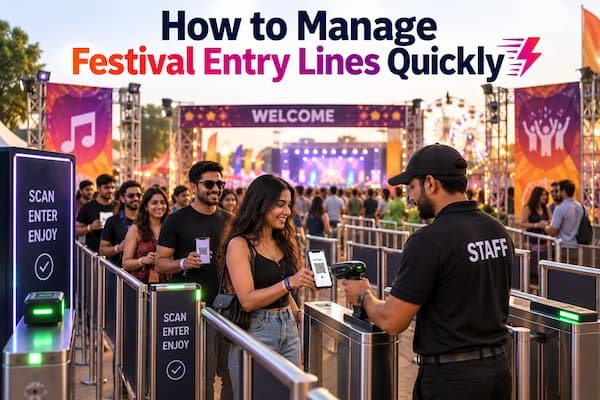

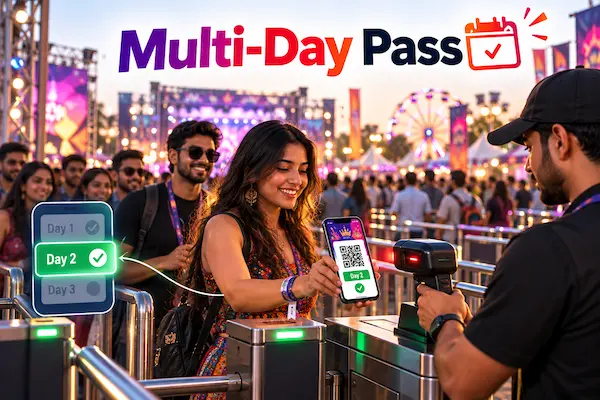
Multi-day festival entry is managed by registering each attendee once, issuing a single QR pass tied to the correct category (single-day, weekend, full pass, or camping), and resetting full-pass tickets at the end of each day so they scan as valid again the next morning. Single-day passes stay locked once their day has passed, so access always matches what was actually purchased, without asking returning attendees to register or collect a new pass every day.
What Makes Multi-Day Festival Entry Different From a Single-Day Event
A single-day event only has to answer one question at the gate: is this ticket valid, yes or no. A multi-day festival has to answer a more layered version of that question every morning:
- The pass has to match the day. A single-day pass bought for day one should not work on day two, while a full weekend pass should work on every day of the festival.
- Attendees expect to leave and come back without friction. Nobody wants to re-register or collect a new ticket each morning just because the festival runs for three days instead of one.
- Attendance needs a day-wise view, not just one number. Organizers and sponsors usually want to know how many people came on day one versus day two, not only a total across the whole festival.
- Several pass types move through the same gates. Single-day tickets, weekend passes, full festival passes, and camping add-ons often all enter through the same lanes on any given day.
The Core Challenges Organizers Face With Multi-Day Passes
- Confusing which pass is valid on which day, especially when staff are relying on a printed schedule instead of the system doing the check automatically.
- Reissuing tickets every morning, which adds unnecessary work and gives attendees one more thing to lose or forget between days.
- No clean day-wise attendance breakdown, making it harder to report accurate numbers to sponsors or plan staffing for each specific day.
- Treating every morning as a full re-verification, when an attendee who was already checked in and verified on day one should not need the same level of scrutiny to walk back in on day two.
How to Set Up Entry for a Multi-Day Festival
Step 1: Set Up Separate Pass Categories for Each Access Type
Create distinct categories for single-day passes by date, weekend passes, full festival passes, and any camping or add-on access. Keeping these separate from the start avoids trying to sort them out manually at the gate later.
Step 2: Register Attendees Once, Regardless of How Many Days They Attend
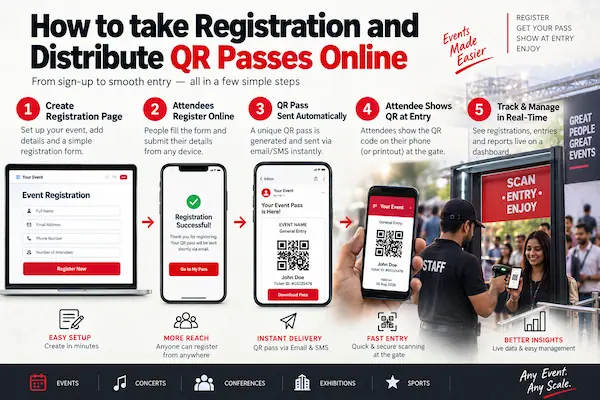
Whether someone is coming for one day or the entire festival, registration should happen a single time through one shared link, with the category they choose determining what their pass will actually cover.
Step 3: Issue One QR Pass Per Registration, Not Per Day
A single QR code should represent the entire booking, rather than issuing a separate code for every day the attendee plans to attend. This is what allows the same pass to be reused across the festival instead of piling up multiple tickets per person.
Step 4: Scan and Verify Entry as Usual Each Day
On any given day, the gate scan works exactly the same way it would for a single-day event: a quick QR scan, entry approved or flagged in about a second.
Step 5: Reset Full-Pass Tickets at the End of Each Day
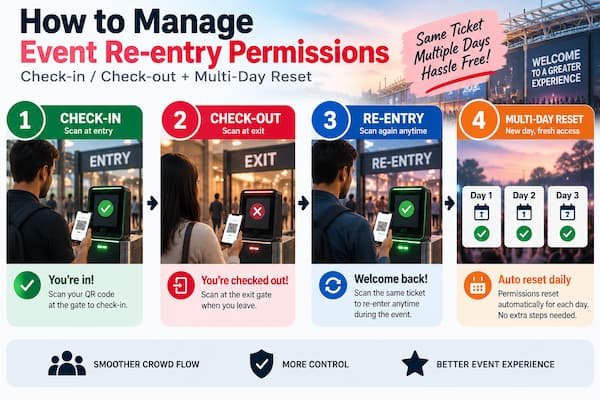
Once a festival day wraps up, organizers can reset the tickets belonging to weekend and full-pass categories from the admin panel. This clears their entry status so the exact same QR code scans as valid again from the start of the next day.
Step 6: Keep Single-Day Passes Locked Once Their Day Has Passed
Single-day passes should not be included in the reset, since they were only ever meant to cover one specific date. Keeping them separate from full-pass categories ensures access always matches what was actually purchased.
Step 7: Review Day-Wise Attendance Separately From Cumulative Totals
Pull attendance figures for each individual day alongside the running total across the festival, which gives a clearer picture of turnout trends than a single combined number.
How the Reset Feature Works for Multi-Day Passes
The reset feature is what makes reusing a single ticket across multiple days possible without reissuing anything. At the close of each festival day, resetting a ticket category clears its check-in status, so a pass that shows as already used from that day is instantly valid again the next morning. Because single-day and full-pass categories are kept separate, this reset can be applied only to the passes that are actually meant to carry forward, while single-day tickets remain correctly locked to the date they were sold for.
How GateScan Supports Multi-Day Festival Entry
GateScan, powered by MediaDost, is built to handle this exact structure:
- A shared registration link with configurable categories for single-day, weekend, full-pass, and add-on access.
- One QR pass per registration, covering the entire booking rather than issuing a new code for each day.
- Fast QR-based check-in at every gate, using just a phone camera.
- A daily reset for full-pass ticket categories, so the same pass becomes scannable again for the next day of the festival.
- A live dashboard with category and day-wise breakdowns, so organizers can see attendance for each specific day alongside the overall total.
What Well-Managed Multi-Day Entry Looks Like
Organizers running this kind of setup typically see returning attendees move through the gate as fast on day two or three as they did on day one, no confusion over which pass is valid on which date, and clean day-wise attendance numbers ready to share with sponsors or use for planning the following year.
Getting Started
If your festival currently reissues tickets each morning or struggles to tell single-day and full-pass holders apart at the gate, setting up proper pass categories with a daily reset removes most of that friction. Reach out for a walkthrough tailored to your event:
Phone: +91 99422 22304
Email: support@gatescan.in