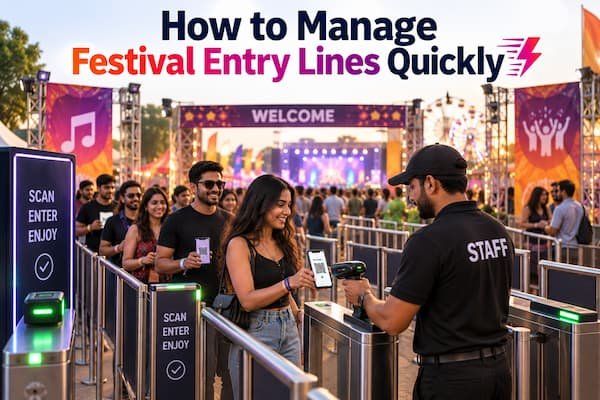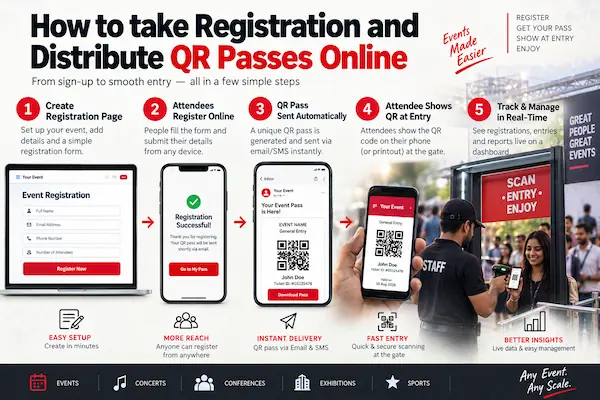

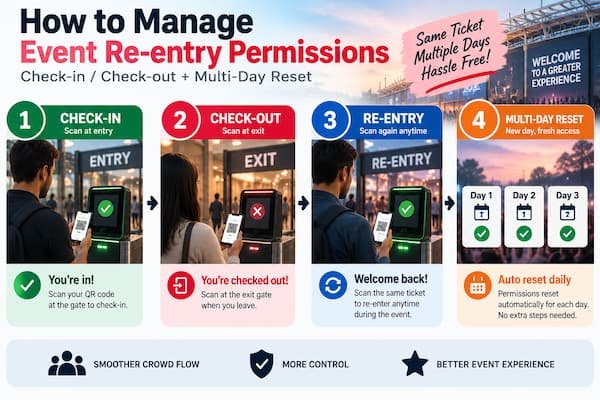
Event re-entry permissions are managed by scanning every ticket twice: once as check-in when an attendee enters, and once as check-out when they leave. This keeps the system aware of who is currently inside, allows legitimate re-entry through a fresh check-in scan, and flags anyone trying to re-enter on a ticket that was never checked out. For events running more than one day, all tickets can be reset once day one ends, so the same passes become scannable again for day two.
What Is Event Re-Entry Management?
Event re-entry management is the process of controlling how attendees who step outside a venue during an event are allowed back in. Instead of relying on a stamp, wristband, or a staff member simply recognizing a face, a proper system ties re-entry to the same ticket record used for the original entry, so every exit and re-entry is tracked rather than assumed.
Why Re-Entry Management Matters for Events
- Accurate live headcount. Knowing exactly how many attendees are currently inside matters for venue capacity and basic crowd safety, not just ticket sales.
- Preventing ticket sharing. Without a checkout step, a single ticket can be passed back outside to let a second person in, and there is no record showing this happened.
- Attendee convenience. Many events need to allow re-entry for genuine reasons, such as stepping out to a car, a nearby food stall, or a smoking area, and attendees should not be blocked from a legitimate return.
- Audit-ready records. A clear log of who checked in, checked out, and re-entered is useful for post-event reporting and resolving any disputes.
The Core Challenge With Re-Entry at Events
Most events land on one of two flawed approaches. Either re-entry is blocked entirely, which frustrates attendees with a genuine reason to step out, or it is allowed loosely with a wristband or stamp, which cannot stop the same ticket from being used by more than one person across the day. Neither option gives the organizer a real picture of who is actually on the grounds at any given moment.
How Check-In and Check-Out Scanning Solves Re-Entry Management
GateScan check-in and check-out feature ties re-entry directly to the same QR ticket used for entry, rather than treating it as a separate, unverified step:
- Every ticket can be scanned twice. Once at check-in when the attendee enters, and once at check-out when they leave, with both scans recorded against the same ticket.
- Re-entry works through a fresh check-in scan. Once a ticket has been checked out, scanning it again at the gate checks the attendee back in as a legitimate re-entry.
- Re-entry without a checkout scan is flagged. If a ticket that is still marked as inside is scanned again at the gate, the system flags it immediately instead of letting a second person walk in on the same pass.
- Organizers control the policy. Re-entry can be allowed freely through check-out and check-in, restricted to a limited number of times, or turned off entirely, depending on what the event needs.
- Live status is visible on the dashboard. Organizers can see, in real time, how many attendees are currently checked in, how many have checked out, and how many re-entries have happened across the event.
How to Set Up Re-Entry Permissions for Your Event
Step 1: Decide Your Re-Entry Policy
Choose whether re-entry should be allowed freely, limited to a set number of times per ticket, or not allowed at all. This decision should be made before the event starts, not worked out at the gate.
Step 2: Turn On Check-In and Check-Out Scanning
Enable check-out scanning at exit points in addition to check-in scanning at entry points, so every departure and return is tied to the same ticket record.
Step 3: Brief Gate Staff on Scanning Out, Not Just In
Staff are usually well trained on scanning entries, but checkout scanning is often skipped if it is not explicitly part of their routine. Make it a required step whenever an attendee leaves through a monitored exit.
Step 4: Monitor Live Status From the Dashboard
Use the real-time check-in and check-out counts to understand how many attendees are currently on site, which is especially useful during peak hours or in case of an emergency evacuation.
Step 5: Handle Flagged Re-Entry Attempts on the Spot
When a ticket that has not been checked out is scanned again at the gate, have a clear process for staff to verify the attendee identity before allowing entry, rather than waving it through by default.
How to Reset Tickets for Multi-Day Events
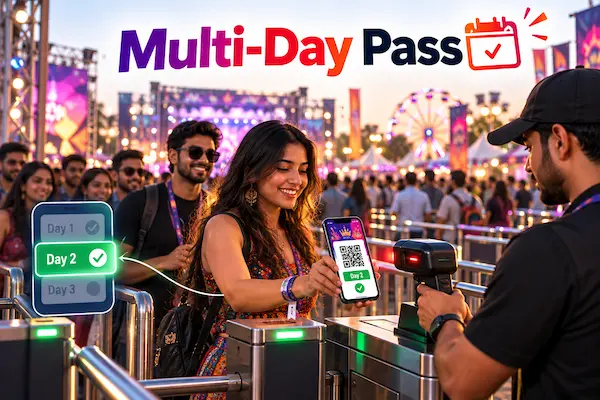
For events that run for more than one day, attendees should not need a new pass for each day. Once day one of the event is complete, organizers can reset all tickets and passes from the admin panel. This clears the check-in and check-out status on every ticket, so the same QR passes become scannable again from the start for day two, and for any further days the event runs, without reissuing anything or asking attendees to register again.
Common Re-Entry Mistakes Event Organizers Make
- Allowing re-entry with no checkout scan, which makes it impossible to tell a genuine return from a shared ticket.
- Skipping staff training on exit scanning, since checkout is easy to forget if it is not built into the standard routine.
- Forgetting to reset tickets between days of a multi-day event, which leaves every ticket showing as already checked in from day one and causes confusion at the gate on day two.
Getting Started
If re-entry at your events currently relies on a stamp, a wristband, or staff memory, moving to check-in and check-out scanning gives an accurate, real-time picture of who is on site, without blocking genuine re-entries or opening the door to ticket sharing. Reach out for a walkthrough tailored to your event:
Phone: +91 99422 22304
Email: support@gatescan.in