
Introduction
For most events, registration is still the messiest part of the process. A generic form, a spreadsheet to track who paid, a person manually typing out passes, and a WhatsApp group where tickets get sent one by one — it works, but it does not scale, and it leaves too much room for mistakes on the one day it actually matters.
Taking registration and distributing QR passes online fixes this end to end: one branded page for the event, payment built into the same flow if needed, and a QR pass that reaches the attendee automatically the moment they register. This guide walks through how to set that up properly, and what an organizer should be able to do once registrations start coming in.
Why Move Registration and Pass Distribution Online
- No more manual pass creation. Typing out or printing a pass for every registrant does not hold up once numbers grow past a handful of people.
- Fewer errors at the source. A structured registration form collects exactly the data the event needs, instead of chasing details over messages after the fact.
- Real-time visibility. Organizers can see registrations and payments coming in live, instead of reconciling everything the night before the event.
- A more professional first impression. A branded registration page and an instant digital pass set the tone before the attendee has even arrived.
Step-by-Step: How to Take Registration and Distribute QR Passes Online
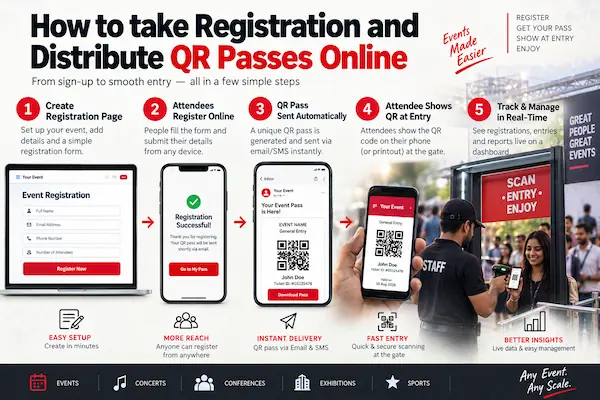
Step 1: Set Up a Custom Event Page, Not a Generic Form
Every event is different, so the registration page should be too. With GateScan, organizers get a dedicated webpage for each event, with the event own banner and logo, and fully custom input fields — name, contact details, category or pass type, meal preference, T-shirt size, or anything else the event needs to collect. Nothing is locked into a fixed template.
Step 2: Collect Payment on the Same Page, If the Event Needs It
For paid events, payment collection is built directly into the same registration flow. There is no need to send attendees to a separate payment link or reconcile transactions from a different tool afterward — registration and payment happen in one step, on the same page.
Step 3: Let the System Generate and Deliver QR Passes Automatically
Once someone completes registration (and payment, if required), a unique QR pass is generated instantly. The pass is sent automatically to the attendee by WhatsApp and email, with no manual step from the organizer. Nobody has to sit and send passes out one by one.
Step 4: Set Up an Admin Panel and Scanner Apps for the Team
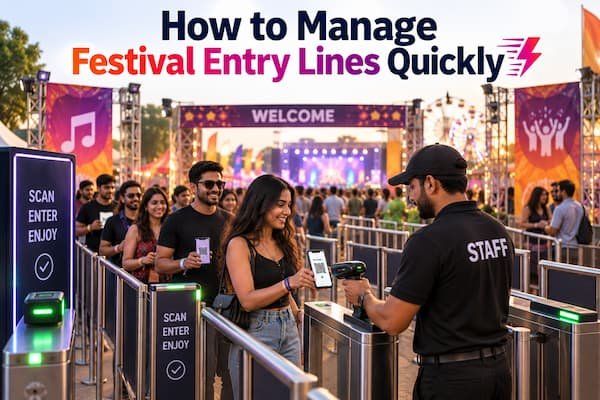
Every organizer gets access to an admin panel for the event. From there, the team can create as many scanner apps as needed — unlimited, not capped to one device. This matters for events with multiple entry points and multiple roles at the venue, for example:
- A scanner app for each entry gate.
- A separate scanner app specifically for the food or meal in-charge, so meal distribution is tracked independently from gate entry.
- Additional scanner apps for any other checkpoint the event needs, such as a workshop room or a VIP lounge.
Step 5: Track Bookings, Logs, and Entries in Real Time
The same admin panel keeps a full record of every booking, every scan, and every entry log across the event. Organizers do not need to piece this together after the fact — it is visible live, from registration through to the last scan of the day.
Step 6: Handle Multi-Day Events With the Same Ticket
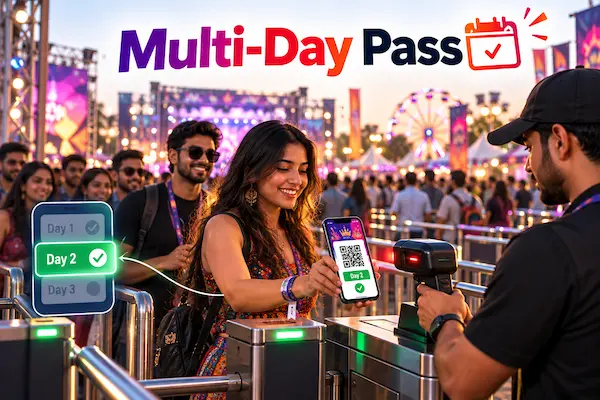
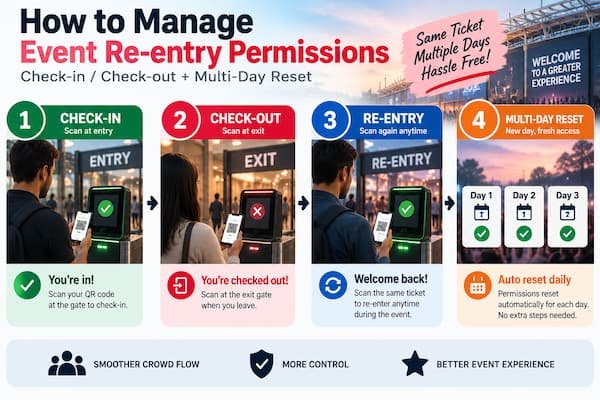
For events that run over more than one day, attendees should not need a separate pass for each day. The same QR pass can be reset after day one, so it becomes valid again for day two, day three, and beyond, without reissuing anything or asking attendees to register again.
How GateScan Brings This Together
GateScan, powered by MediaDost, is built to cover this entire flow in one system rather than several disconnected tools:
- A custom webpage per event, with its own banner, logo, and fully configurable input fields.
- Built-in payment collection on the same registration page, when the event needs it.
- Automatic QR pass delivery by WhatsApp and email the moment registration is complete.
- An organizer admin panel to create unlimited scanner apps, including dedicated apps for food or meal tracking and any other checkpoint.
- Full logs of bookings and entries, visible in real time from the same panel.
- Multi-day ticket support, so a single pass can be reset and reused across every day of a multi-day event.
What This Looks Like for an Organizer
Once this is set up, running an event typically looks like this: share one registration link, watch bookings and payments come in on the admin panel, let passes go out automatically without lifting a finger, and hand out scanner apps to gate staff and meal in-charges on the day. For a multi-day event, reset the tickets after day one and the same passes carry straight through to day two.
Getting Started
If registration and pass distribution are still eating up time before every event, moving the whole flow online, from the custom page through to automatic WhatsApp and email delivery, removes most of that manual work. Reach out for a walkthrough tailored to the event:
Phone: +91 99422 22304
Email: support@gatescan.in